
Most businesses have a process for retiring laptops, replacing servers and disposing of old computers. But what about the USB drive sitting in an employee’s desk drawer? Or the external SSD in the IT cupboard? The box of old mobile phones? The backup tapes no one has touched in years?
Small data storage devices are easy to overlook. They are also capable of holding large amounts of sensitive business, customer and employee information. For many organizations, these forgotten devices create a gap in their information destruction process.
The Drawer Audit Nobody Runs
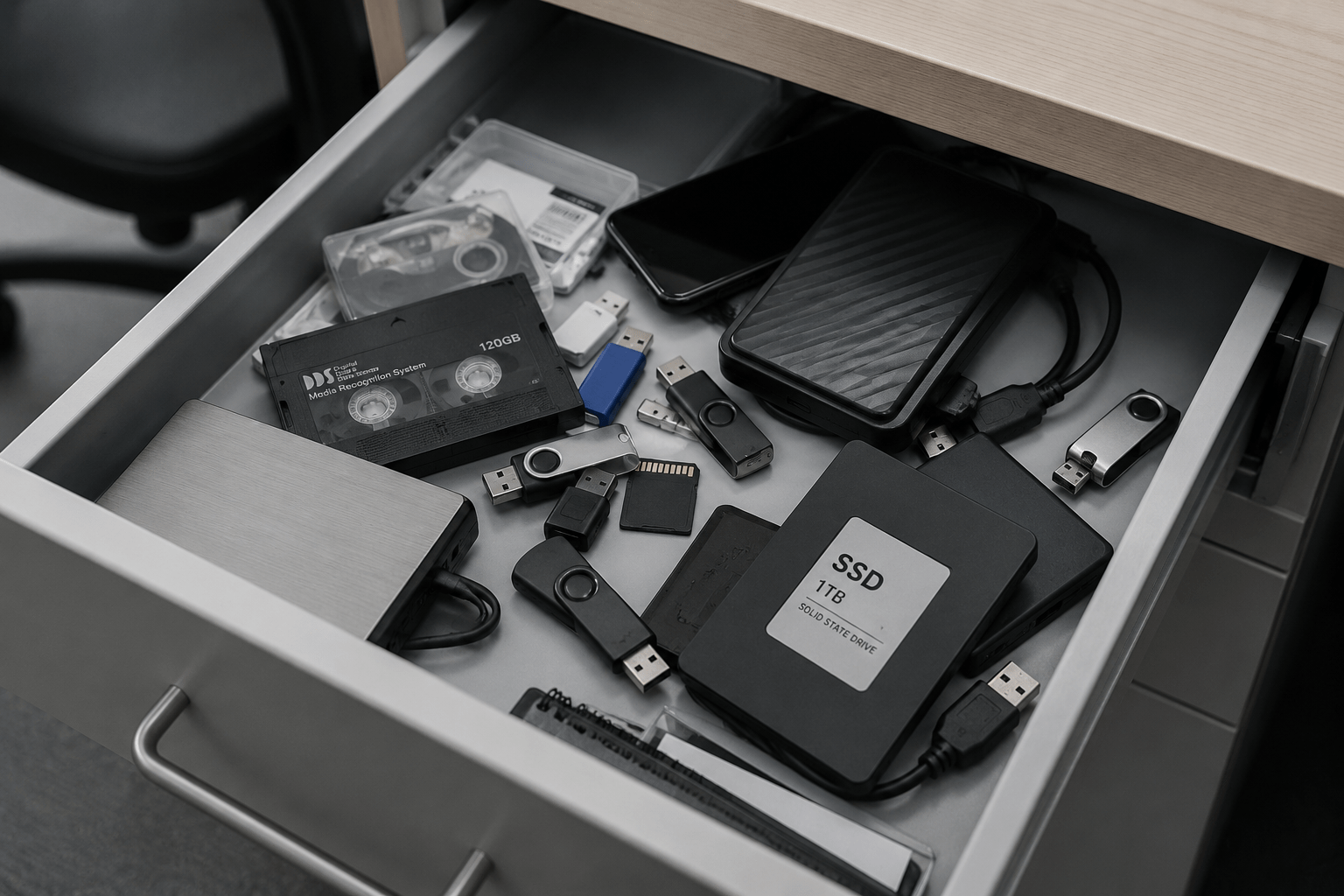
Take a quick look through the average office and you may be surprised by how many data-bearing devices are sitting unused.
USB drives get dropped into desk drawers. Old phones are kept as backups. External hard drives and SSDs are stored in IT cupboards. SD cards remain inside old cameras or equipment. Backup tapes are boxed and forgotten when systems are upgraded.
Individually, these devices may not seem significant. Collectively, they can represent years of company information. The problem is that many businesses regularly review paper records and major IT assets but rarely conduct the same type of audit for smaller digital media.
As a result, devices can remain in offices long after there is a legitimate business reason to keep the information stored on them.
Why Small Media Creates a Big Data Security Gap
Modern storage devices are small, portable and capable of holding significant amounts of data. That convenience is exactly what makes them easy to lose track of.
A USB drive may contain customer lists, financial spreadsheets or project documents. An old mobile phone could still hold emails, contacts and downloaded files. An external SSD may contain a backup created years ago by an employee who has since left the company.
The physical size of the device has very little to do with the sensitivity of the information it contains.
| Device | What It May Still Contain | Why It Gets Missed |
|---|---|---|
| USB drives | Customer files, spreadsheets and project documents | Small, portable and rarely asset tagged |
| SSDs and external drives | Backups, shared folders and archived data | Often stored after system upgrades |
| Mobile phones | Emails, contacts and downloaded files | Kept as spares or backup devices |
| SD and memory cards | Photos, videos and equipment data | Left inside cameras or other devices |
| Backup tapes | Historical system and business data | Stored for years after systems change |
Yet small media is often treated differently from larger IT assets.
When a laptop reaches the end of its life, there is usually a process. IT is notified. The device is removed from service. The asset may be recorded and sent for disposal. A USB drive can simply disappear into a drawer.
Why USB Drives and SSDs Get Missed by IT Asset Registers
Formal IT asset registers are generally designed to track higher-value equipment such as computers, servers, monitors and mobile devices. Small storage media does not always receive the same attention.
USB drives may be purchased in bulk. External drives can be ordered by individual departments. SD cards may be included with equipment. Older backup media may predate the organization’s current asset management system.
In some cases, there may be no serial number recorded, no assigned user and no documented disposal process.This creates a simple problem: you cannot securely dispose of data-bearing devices if you do not know they exist.
That is why information destruction programs should look beyond traditional IT asset lists. A physical audit of desks, storage rooms, IT cupboards and departmental equipment can uncover media that has fallen outside normal asset management processes.
Deleting Files Is Not the Same as Destroying the Device
Another common issue is the assumption that deleting files or formatting a storage device means the information is permanently gone. The appropriate method for disposing of digital media depends on the device, the information stored on it and the organization’s security requirements. For media that is no longer required and will not be reused, physical destruction provides a clear end to the device’s lifecycle. This is particularly important when storage devices may contain confidential, personal or commercially sensitive information.
Rather than leaving employees or individual departments to decide how to dispose of old media, organizations should have a documented process for identifying, collecting and securely destroying data-bearing devices.
What NAID AAA Certified Media Destruction Means
When sensitive media is sent for destruction, the process matters. NAID AAA Certification is an independently audited certification for secure information destruction providers. It evaluates operational security and procedures used to protect confidential information throughout the destruction process.
For businesses, working with a NAID AAA Certified destruction provider adds independent verification to the vendor selection process. Secure media destruction should consider the full chain of custody, including how devices are collected, handled, transported and ultimately destroyed.
Documentation is also important. A Certificate of Destruction provides a record that materials were securely destroyed. Where required, serial number capture can provide an additional level of asset tracking and reconciliation. The goal is not simply to get rid of old devices. It is to create a documented and defensible process for the final stage of the information lifecycle.
Build a Quarterly Small-Media Destruction Routine
Small media is easier to manage when it is treated as an ongoing records and information management issue rather than a once-a-year IT cleanout.
A simple quarterly process can help prevent devices from accumulating.
1. Audit: Check desks, IT cupboards and storage areas for unused data-bearing devices.
2. Collect: Move old media into a designated secure storage location.
3. Review: Confirm that the data is no longer required for business, retention or legal purposes.
4. Destroy: Securely destroy end-of-life media using a certified destruction process.
5. Document: Update your inventory and retain destruction records.
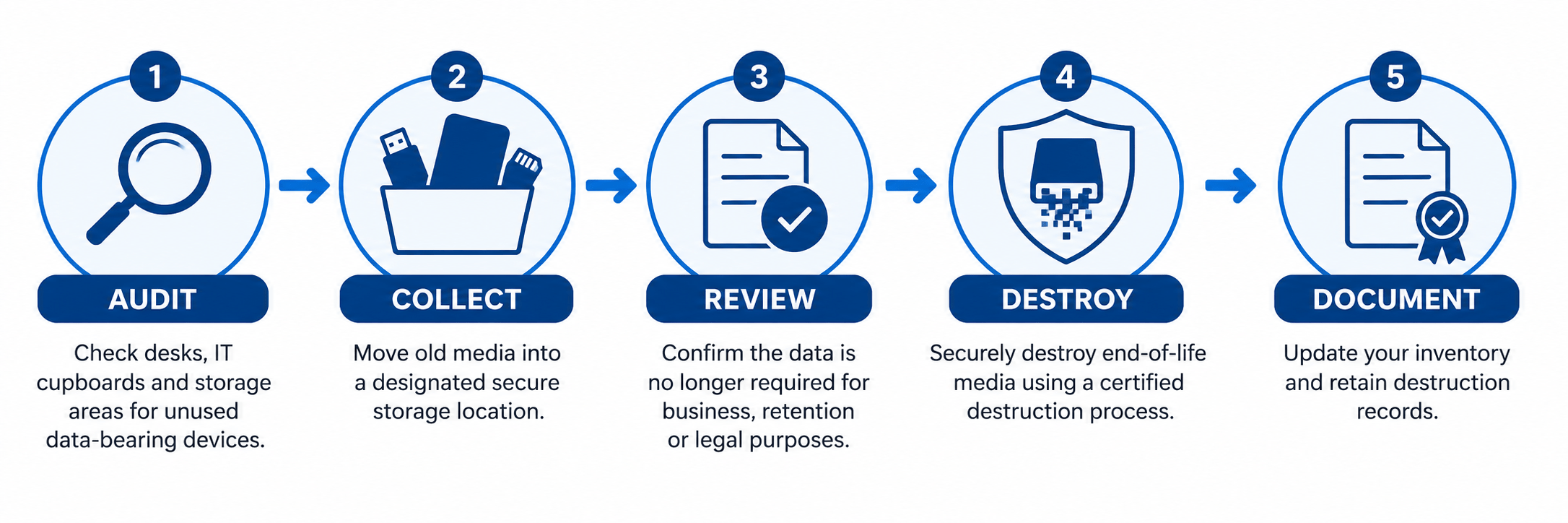
Repeating this process every quarter can help prevent forgotten data-bearing devices from accumulating.
When conducting your audit, ask departments to identify unused data-bearing media, including:
- USB and flash drives
- Solid-state drives (SSDs)
- External hard drives
- SD and memory cards
- Backup tapes
- CDs and DVDs
- Old mobile phones and tablets
- Other devices capable of storing company information
Collected devices should be placed in a secure, designated location rather than left in desks or general storage areas. Before destruction, confirm that the information is no longer subject to an active retention requirement, legal hold or other business need.
The media can then be inventoried where appropriate, securely destroyed and documented.
A Simple Small-Media Inventory Template
Your media inventory does not need to be complicated.
A basic spreadsheet can include:
- Device type: USB drive, SSD, mobile phone, backup tape or other media
- Department: The business area the device came from
- Approximate quantity: Particularly useful when collecting large volumes of small media
- Data type, if known: Customer information, employee records, financial data, backups or general business files
- Date collected: When the device entered the destruction process
- Destruction date: When secure destruction was completed
- Certificate or reference number: A link between your internal inventory and destruction documentation
For higher-value assets or devices already tracked by IT, the serial number or internal asset number can also be included.
The objective is to create enough documentation to demonstrate that the organization has a consistent process for managing end-of-life media.
The Biggest Data Risks Are Not Always the Most Obvious
Businesses invest significant time and resources into protecting active systems. Firewalls, passwords, access controls and cybersecurity policies all play an important role in protecting information while it is being used. But information risk does not disappear when a device is unplugged.
The USB drive in a desk drawer, the old SSD in the IT cupboard and the box of backup tapes in storage may still contain sensitive information.
A regular small-media audit can help organizations identify forgotten data-bearing devices, close gaps in their destruction process and create a clearer record of how information is managed at the end of its lifecycle.
Blue-Pencil provides secure destruction for hard drives, SSDs, USB drives, backup tapes and other data-bearing media. Our NAID AAA Certified destruction process helps organizations securely manage end-of-life media with a documented chain of custody and Certificate of Destruction.
Have old data-bearing devices sitting in storage? Contact Blue-Pencil to discuss secure media destruction for your organization.